MyQuickNotes
Voice-First Shopping Lists

Say it.
It's on your list.

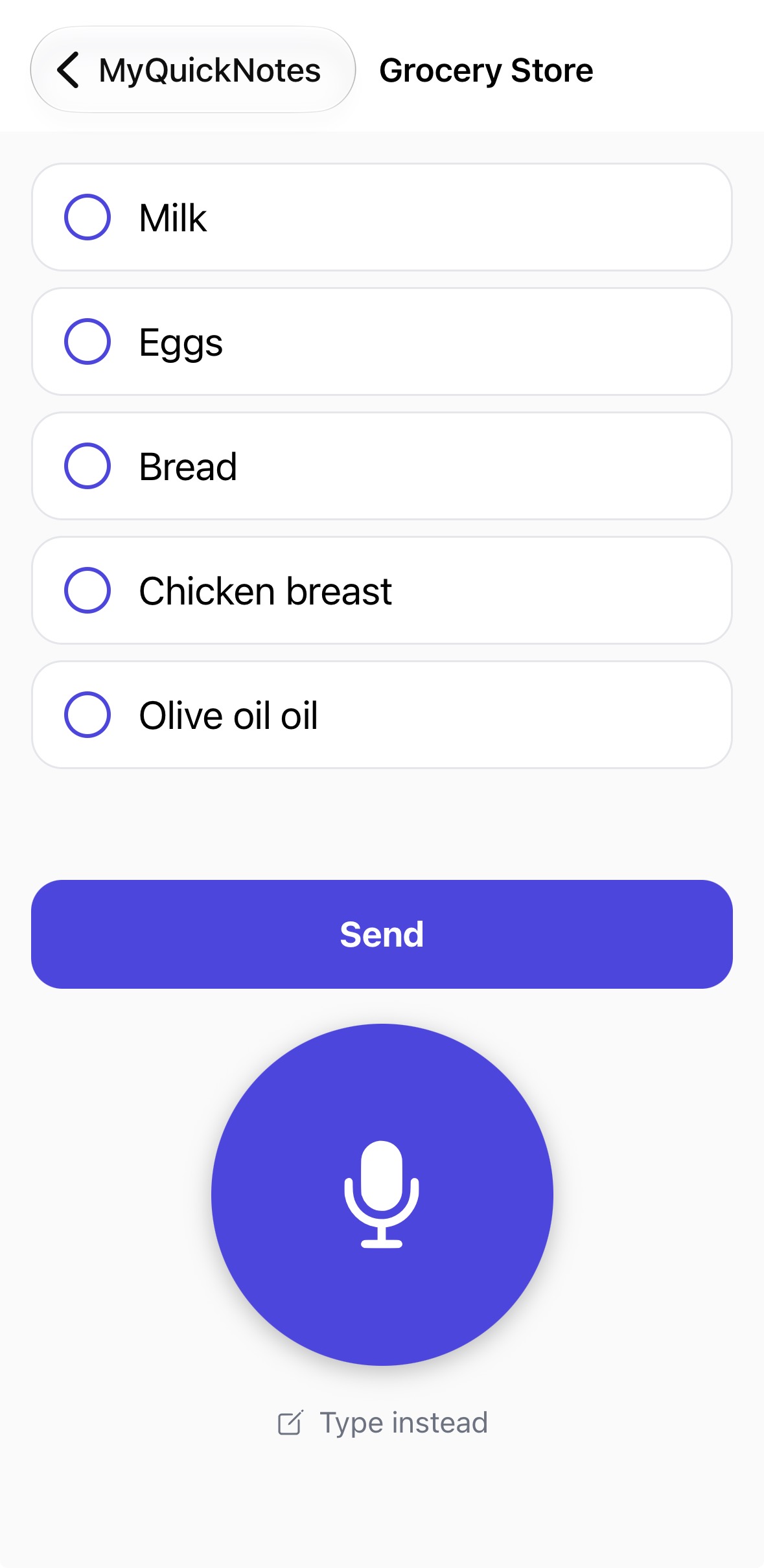
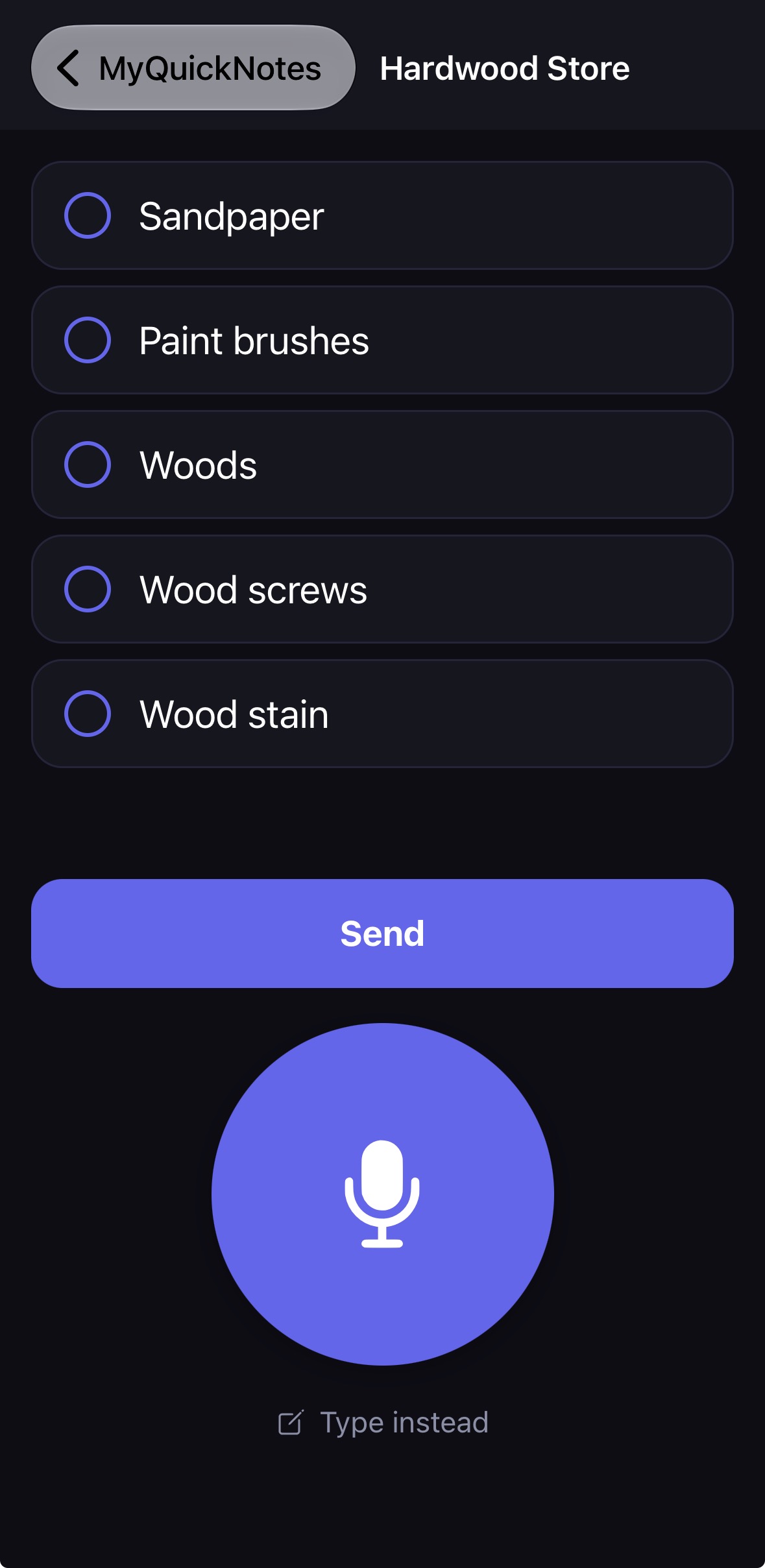
Tap the giant mic button, say the store and the item. MyQuickNotes adds it instantly — no typing, no account, no fuss.

Coming Soon on iOS & Android
Dark mode shopping list
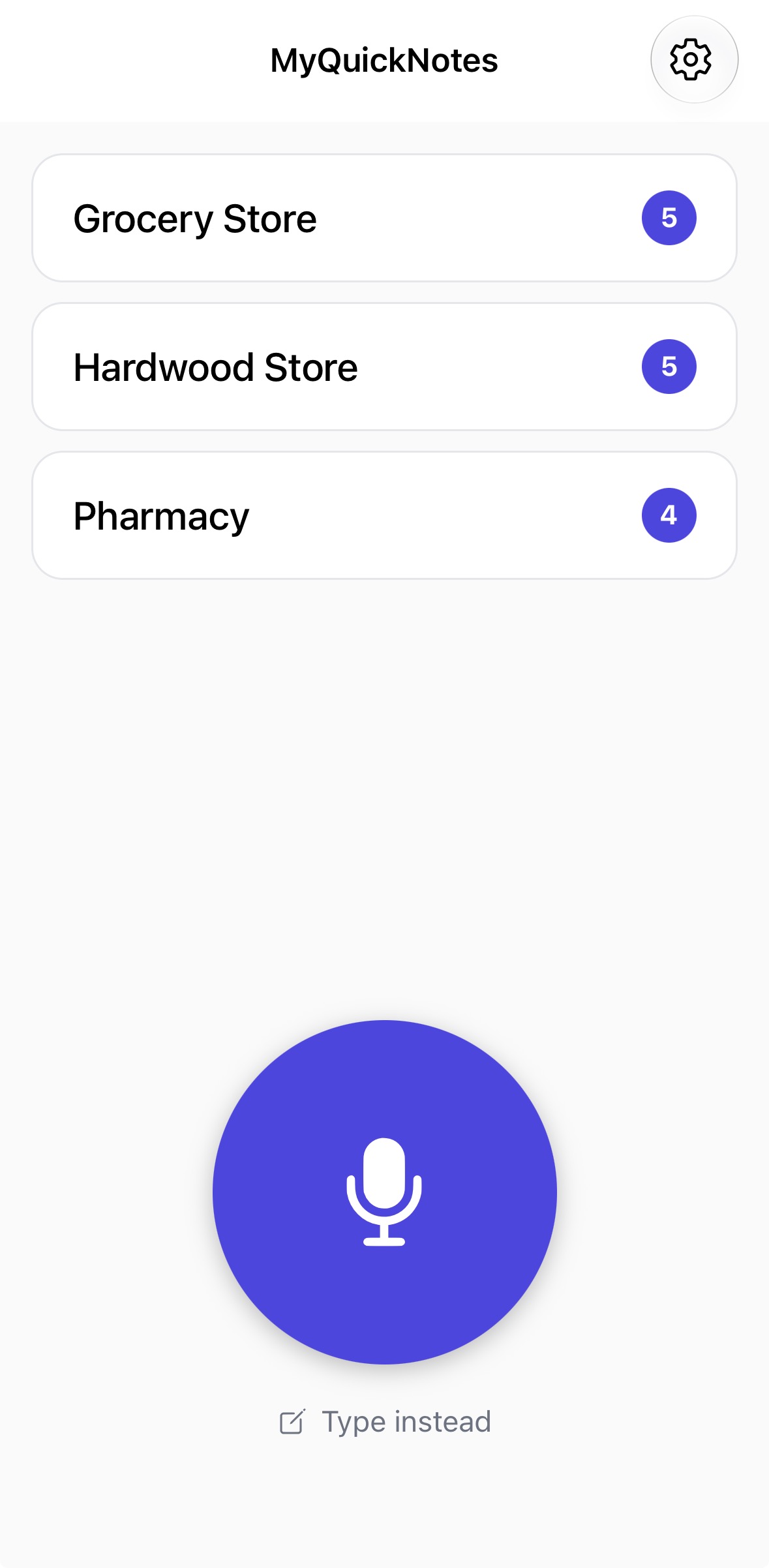
MyQuickNotes home — your lists
Simple by design

Three seconds. Done.

Built for the moment you're at the front door and need to remember something fast.

Tap the big mic button
1

Tap the mic

One huge button at the bottom of the screen. Easy to find even when your hands are full.

Smart voice matching
2

Say store & item

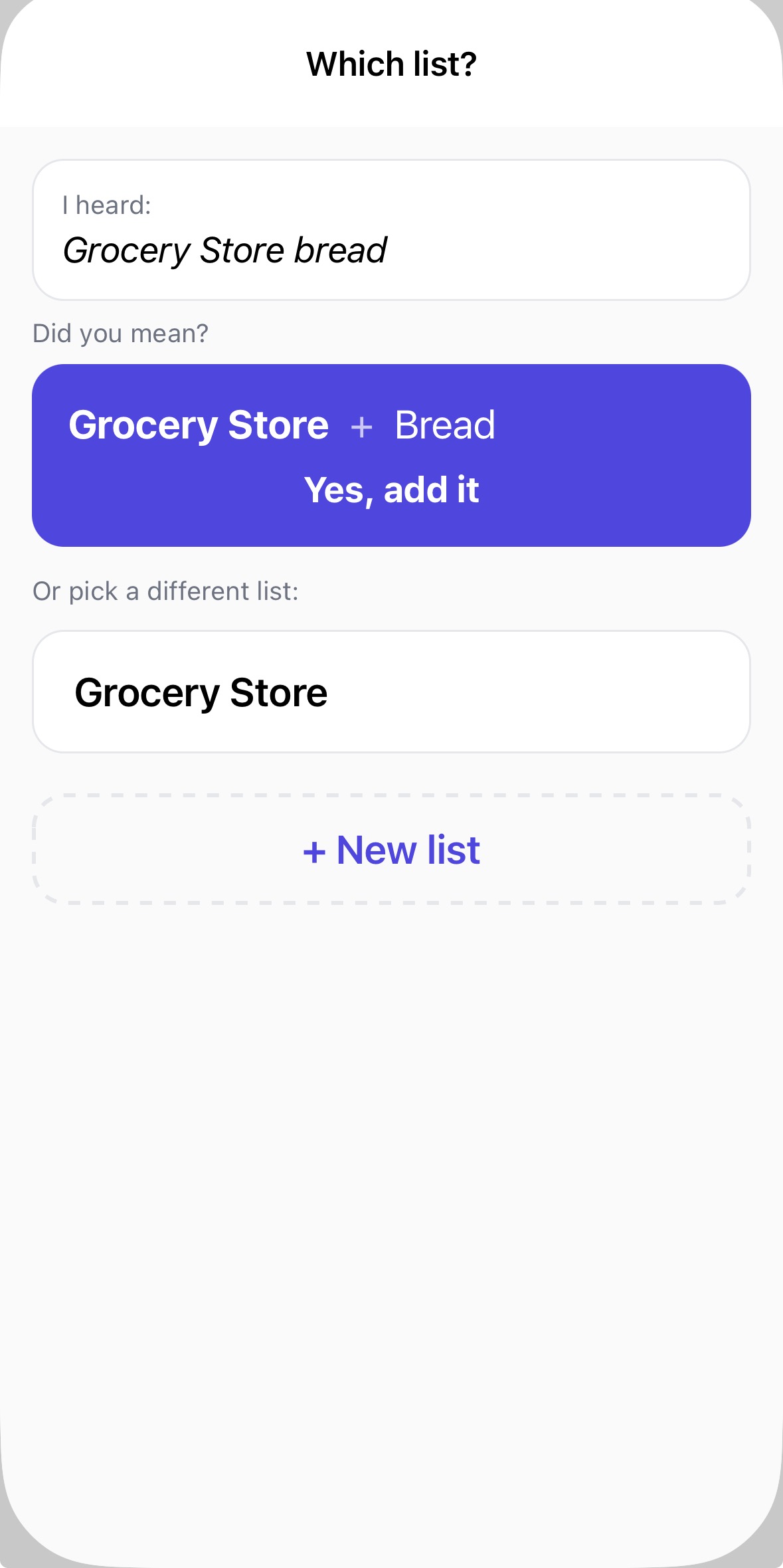
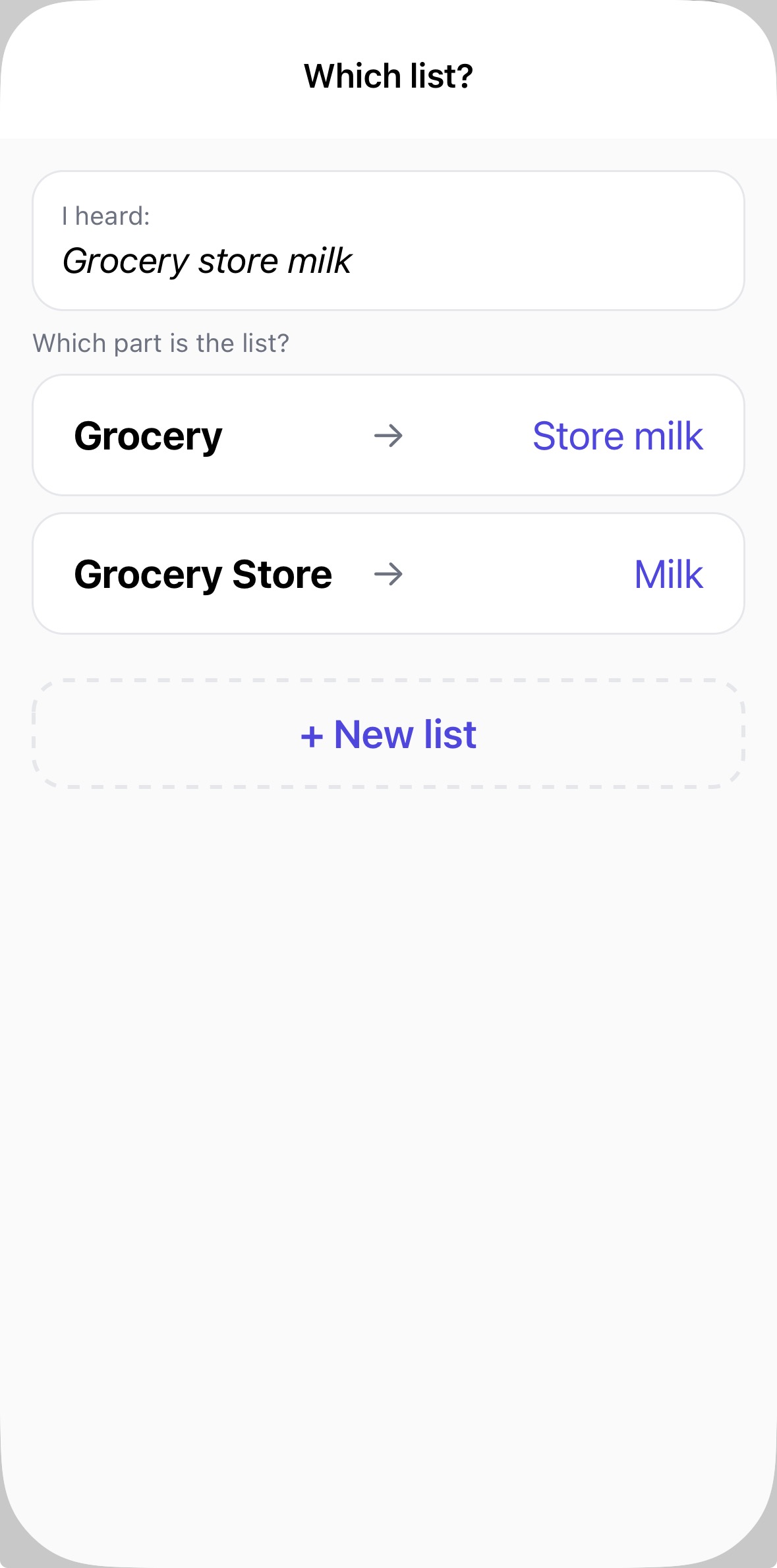
"Grocery store, bread" — the app figures out the right list automatically, even if it mishears you.

Check items off while shopping
3

Shop & check off

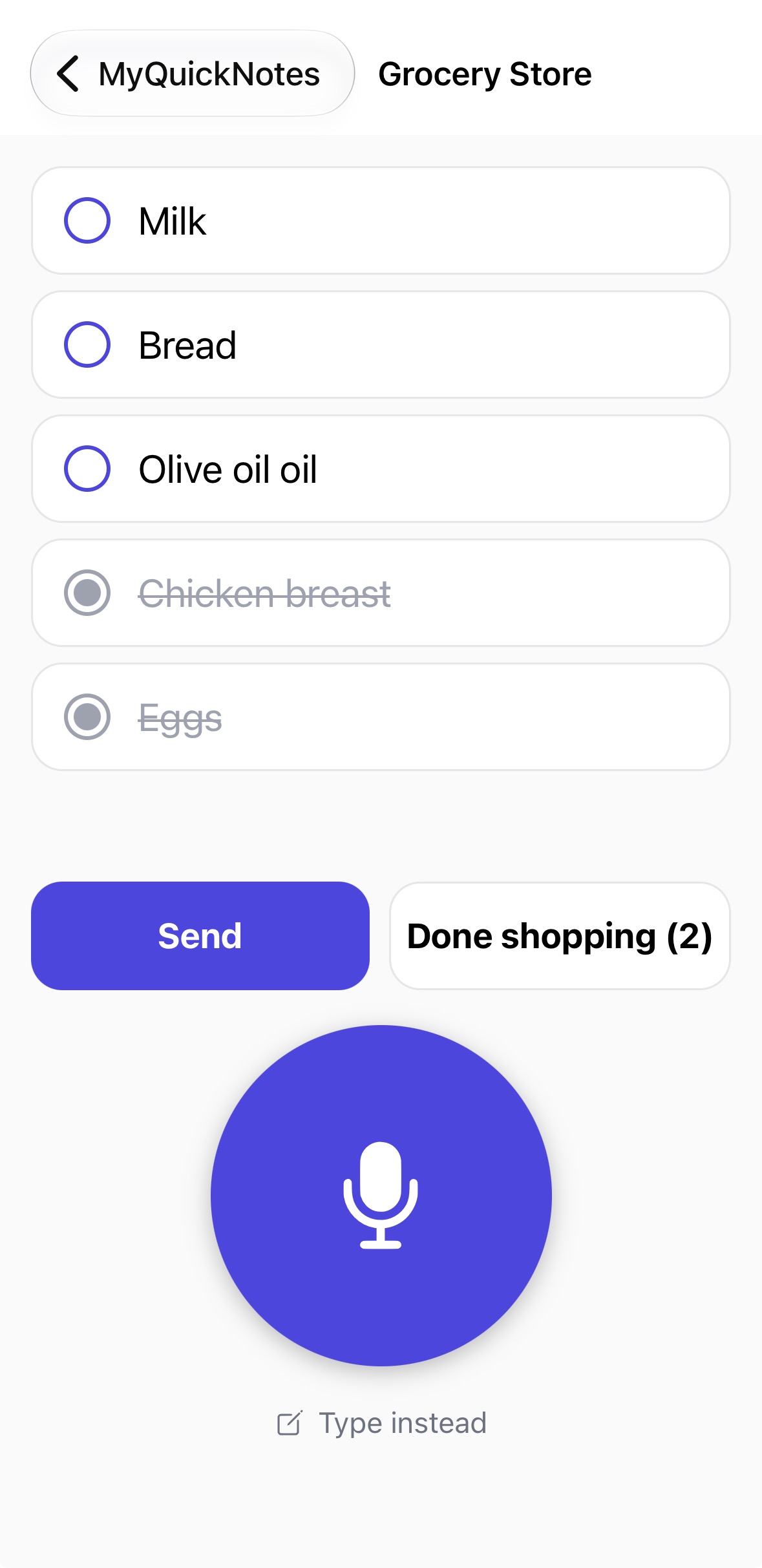
Tap items to check them off. Done items drop to the bottom. Share the list in one tap.

Everything you need

Built around your thumb

Every decision in MyQuickNotes solves a real frustration with how other shopping list apps work.

Huge mic button

At the bottom where your thumb lives — not buried in a menu. The main event is impossible to miss.

Fuzzy voice matching

"Canadian tired" still finds Canadian Tire. All your list names are passed as hints so the speech engine hears them right.

Multiple lists

Grocery Store, Hardware Store, Pharmacy — say the store name and the item goes to the right list every time.

Instant undo

Added the wrong item? A big banner with Undo appears right away. No digging through menus to fix a slip.

Share any list

Send your unchecked items via text, email, or iMessage. The person on the other end doesn't need the app.

Dark mode included

Follows your system setting automatically. High contrast, large text, designed for one-handed use in any lighting.

See it in action

Every screen, one hand

Large tap targets. High contrast. Dark mode. Designed for the grocery aisle, not a desk.

Home screen

Home screen

Your lists

Your lists

Grocery Store list

Grocery Store

Checking off items

Checking off

Smart list picker

Smart picker

Dark mode

Dark mode

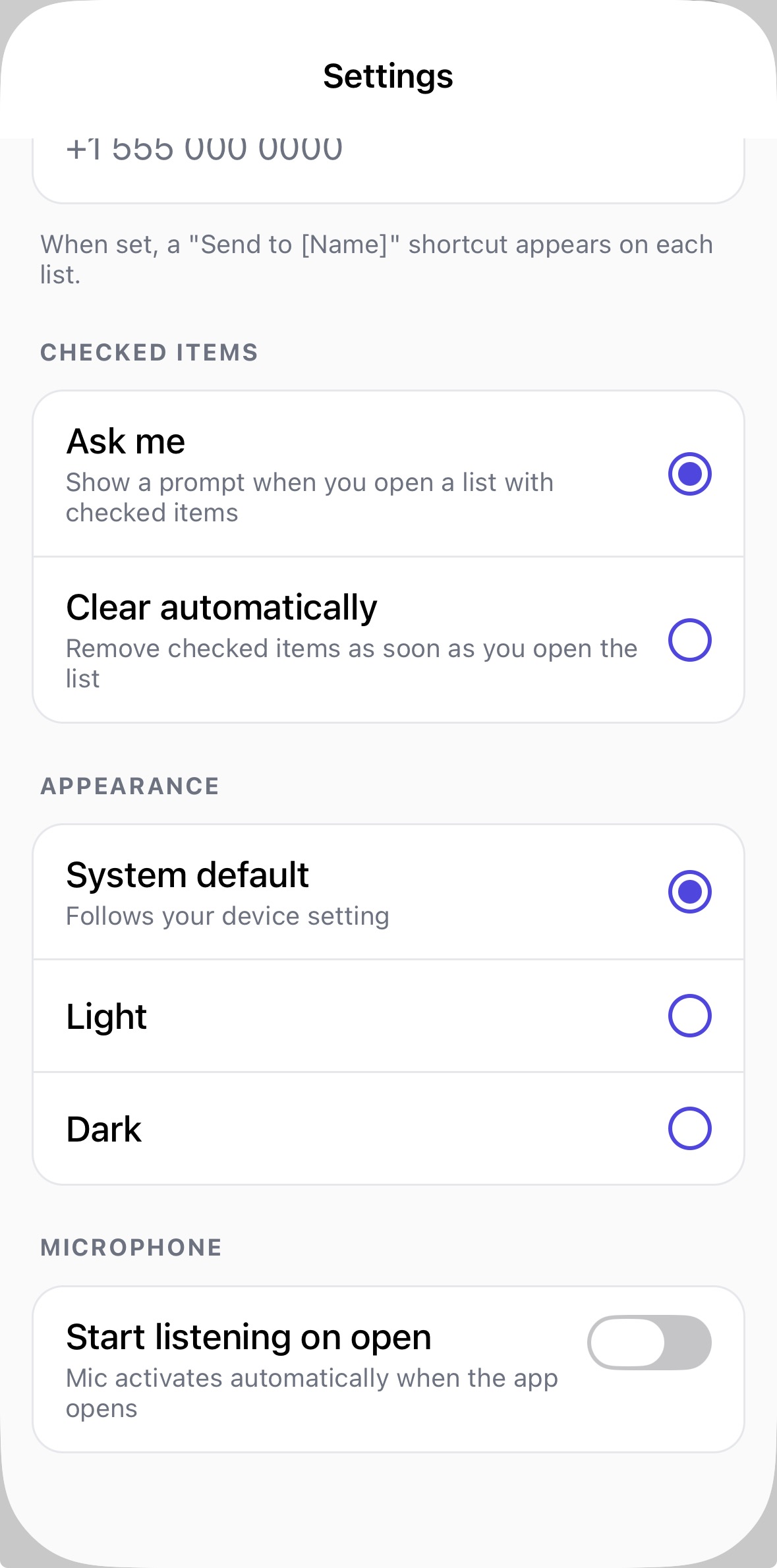
Settings screen

Settings

Your lists never leave your phone

MyQuickNotes stores everything locally using your device's built-in storage. There's no account to create, no server to trust, and no subscription to manage. Close the app, lose power, go offline — your lists are always there.

No account required Works fully offline Nothing sent to the cloud Free to download
MyQuickNotes

Stop typing grocery lists.

Download free for iPhone and Android.

Coming Soon on iOS & Android